Wazuh Lack of Meaningful Docker Logs
Issue
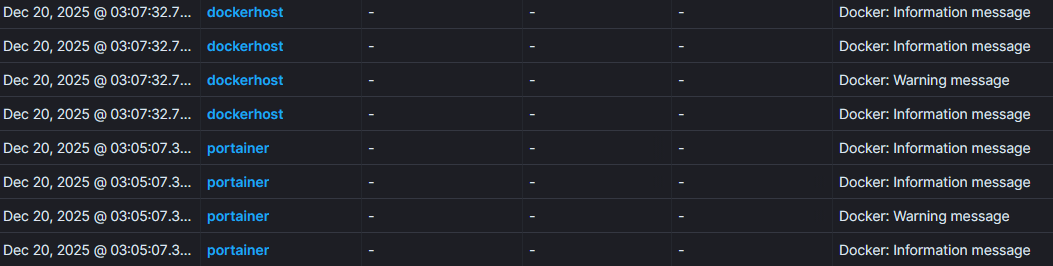
Docker alerts generated in Wazuh are of poor quality and do not show any meaningful information, like so:
Solution
Reference: https://documentation.wazuh.com/current/proof-of-concept-guide/monitoring-docker.html
Assumption: You have successfully installed the Wazuh agent in your docker server.
Do not use the
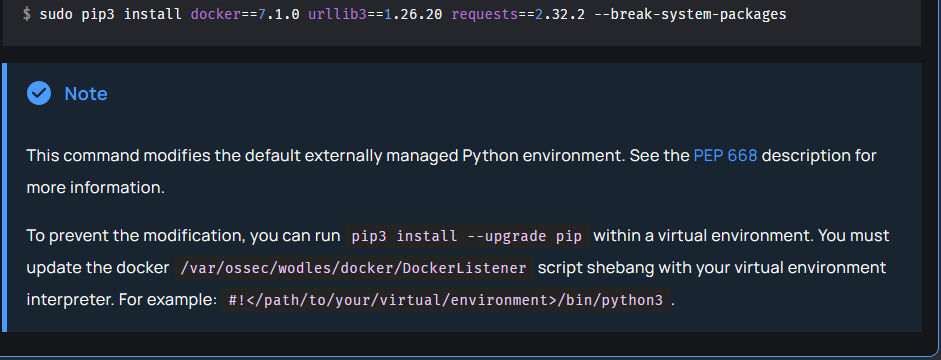
--break-system-packagesoption. Highly recommended to use the venv configuration shown below.
In your docker server, check python version using python3 --version. If your python version is > 3.11, you will need to create a virtual environment before installing the required dependencies.
1
2
3
4
5
6
7
8
$ apt install python3.12-venv
$ mkdir /root/wazuh-docker
$ python3 -m venv ./wazuh-docker/
$ source ./wazuh-docker/bin/activate

# the following commands are run in the venv
$ pip3 install --upgrade pip
$ pip3 install docker==7.1.0 urllib3==1.26.20 requests==2.32.2
I’ve created the virtual environment in the root folder, but you can create it anywhere you like. Just make sure to quote the full path in the shebang of the DockerListener file as described below.
Edit the file at /var/ossec/wodles/docker/DockerListener. You might want to create a backup copy of the script first, just in case. The shebang should now be:
1
#!/root/wazuh-docker/bin/python3
After that, restart your Wazuh agent
1
sudo systemctl restart wazuh-agent
Detailed events will now show up.
